Revenue Protection
Catch Billing Problems Before You Open the Tube
Every denied claim costs you the reagents, the labor, and 60 days of waiting to find out you're not getting paid. The Diagnose Verification Engine catches those problems at order entry.
See It in ActionThe Cost of Denied Claims
Denied claims can materially reduce lab margin. In a common mid-volume scenario (200 orders/day at $150 average reimbursement), preventable denials can represent six figures in annual at-risk revenue.
The worst part? Most labs don't find out about the problem until 60-90 days later, when the denial letter arrives. By then, you've already spent the reagents, the labor, and the time.
Traditional LIS systems treat billing as a downstream problem — something to deal with after the work is done. Diagnose treats it as a prevention problem.
Common Denial Causes
- ICD-10 codes that don't support the tests ordered
- Patient insurance lapsed or inactive at time of service
- Prior authorization required but not captured at order entry
- Testing frequency exceeds payer limits
- Missing or incorrect patient demographics
- Diagnosis code doesn't meet medical necessity criteria
- Duplicate testing within payer-defined windows
Three Layers of Protection
Every insurance order passes through three verification checks before your lab touches it
Diagnose preloads 500,000+ CMS LCD/NCD diagnosis-validity rules so your team can catch coverage issues before claim creation.
CMS Rule Validation
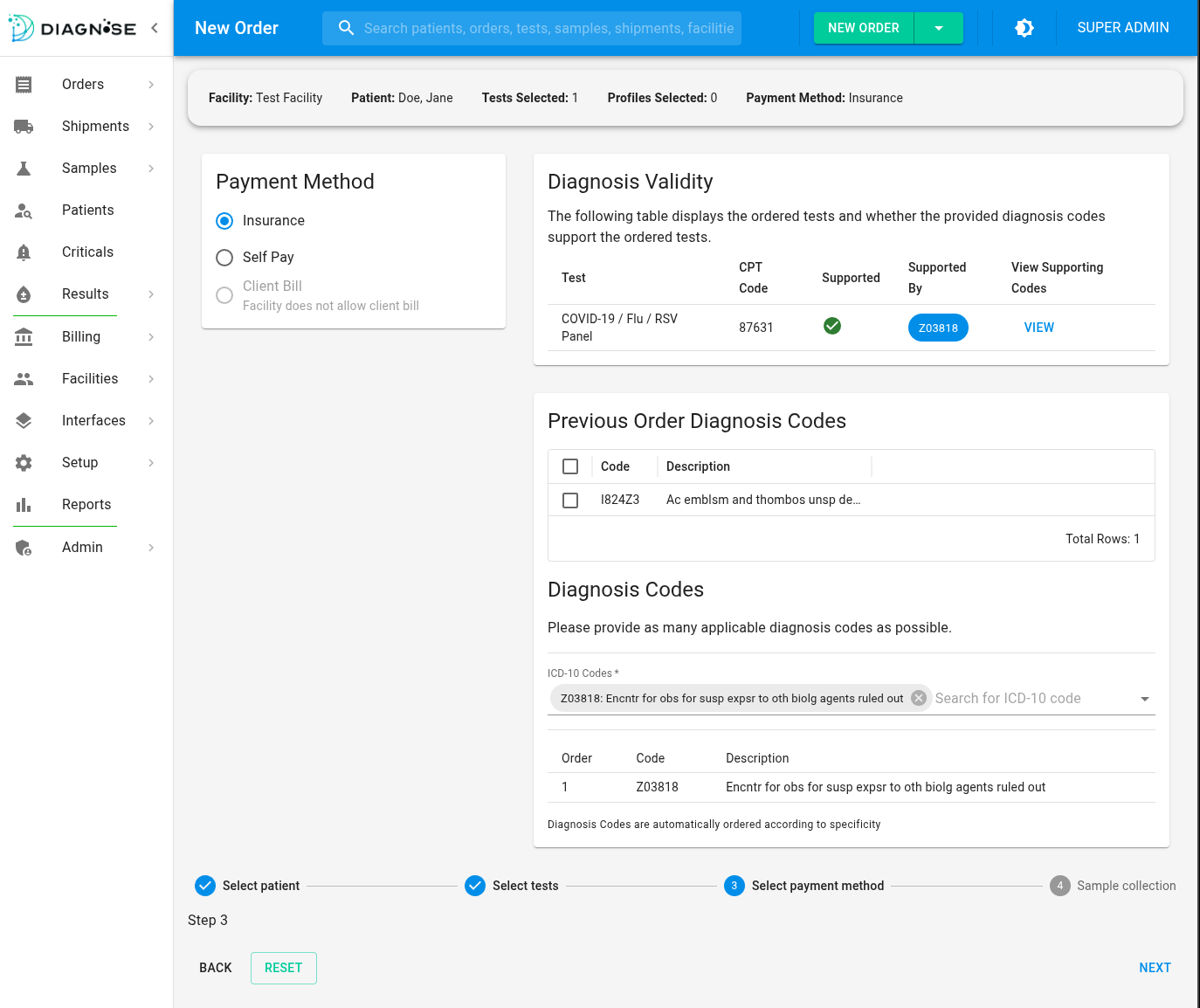
Validates ICD-10/CPT mapping against 500,000+ preloaded CMS LCD/NCD rules. Ensures diagnosis codes support ordered tests against current CMS policy logic.
Custom Lab Rules
Apply your own validation rules on top of CMS guidelines. Set up lab-specific requirements, block orders that don't meet your criteria, or flag them for manual review.
Payer-Specific Rules
Different payers have different rules. Diagnose checks testing frequency limits, payer-specific coverage requirements, flags when prior authorization is required, and detects missing information — per payer, per test.
Data Quality Controls at Order Entry
Diagnosis code maintenance is built in so your team works from current, valid CMS data instead of free-text entries.
Latest valid CMS diagnosis codes are preloaded in structured selection lists
Retired diagnosis codes are automatically disabled as CMS updates are published
Newly released diagnosis codes are added to keep order-entry workflows current
Structured code entry helps reduce invalid-code cleanup downstream
Prior authorization requirements are flagged during order entry so pre-auth can be captured before processing
Provider and patient signatures can be captured as eSignatures or uploaded as physical signatures to support payer documentation requests and audits
What Happens at Order Entry
Order is placed
A provider submits a test order with patient info, insurance, and diagnosis codes.
Verification engine runs
All three validation layers check the order in real-time — CMS rule mapping, frequency rules, eligibility status, prior-authorization requirements, and diagnosis-code validity.
Problems are caught immediately
Invalid codes? Missing info? The order is flagged or blocked before any lab work begins.
Corrections happen upfront
The ordering provider fixes the issue while the patient context is fresh — not 60 days later from a denial letter.
Clean claim goes out
When the work is done, the billing data is already verified. No surprises, no rework.

See It in Action
Watch Diagnose catch a billing problem before your lab touches the sample.
Flexible When You Need It
Prevention is the default — but your lab sets the rules. Sometimes a provider sends an order without an ICD-10 code or insurance information, and your lab still needs to get started.
Diagnose lets authorized users enter orders with missing billing data instead of hard-blocking them. The system automatically emails the ordering client with a secure link to fill in the missing information — no phone calls, no faxes, no chasing anyone down.
Your lab keeps moving. The client gets a clear, simple request. And when the information comes in, the order is ready to bill cleanly.
Automatic Client Notification
Missing ICD-10 or insurance? The client gets an email with a link to add it — no manual outreach from your lab.
Authorized Access Only
You control who can create orders with incomplete data. Not everyone — just the users you trust to make that call.
Nothing Falls Through the Cracks
Every missing-info order is tracked. If the client hasn't responded, you know exactly which orders still need attention.
Your Lab, Your Rules
Some labs want strict blocking. Others want flexibility. Diagnose supports both — configured to match how your lab operates.
Why This Changes Everything
Most legacy LIS workflows treat billing as a downstream problem. Diagnose treats it as a prevention problem by checking key billing risk factors at order entry.
Traditional LIS
Order → Test → Bill → Denied → Appeal → Maybe get paid (60-90 days later)
Diagnose
Order → Verify → Test → Bill → Get Paid
See It Catch a Bad Claim Live
Book a demo and we'll walk through a real-time verification — watch Diagnose catch a problem that would have cost your lab money.